Product Availability UI login
Screen Name |
Description |
Screenshot |
Used Endpoint |
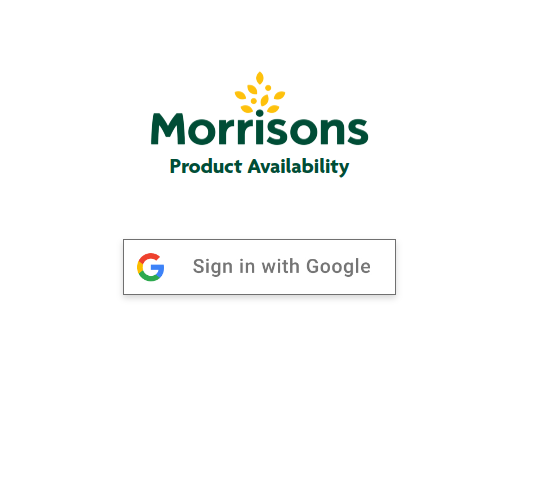
Login |
This is login page, user authentication with google account |
|
Post:- https://api.morrisons.com/user/v2/token?apikey={providedapikey} |
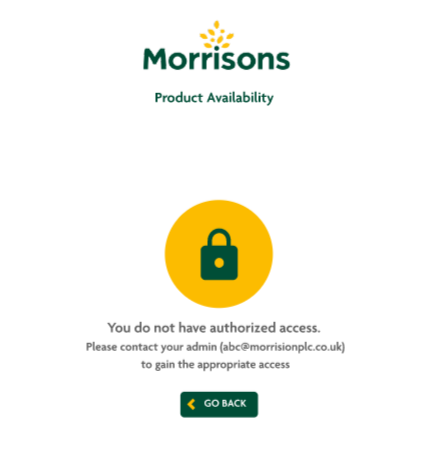
Unauthorized E-mail Id |
If the E-mail ID is unauthorized, an error will appear |
|
|
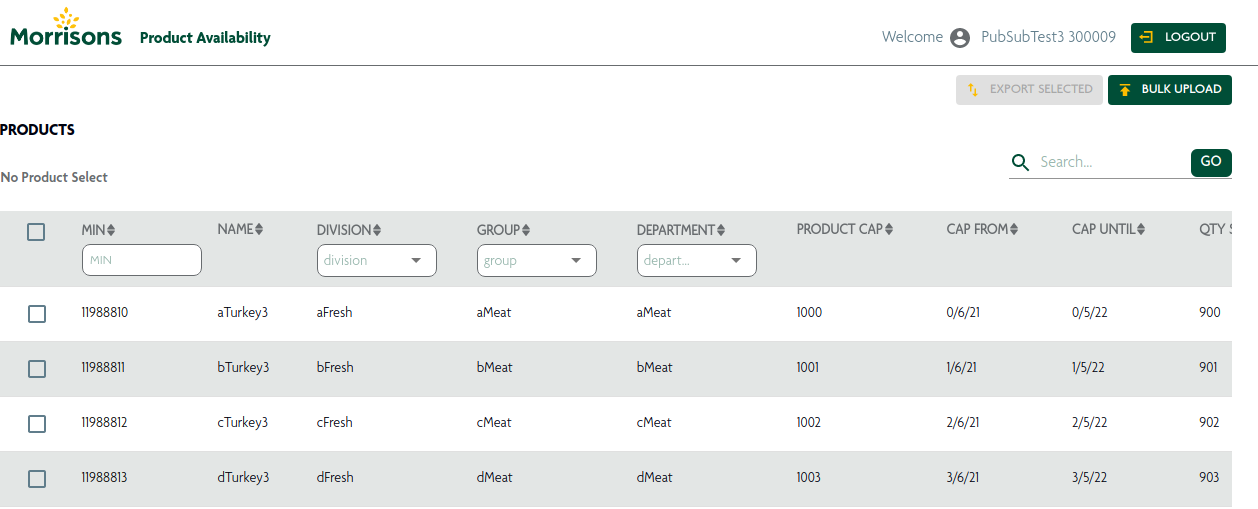
Using Authorized E-mail Id |
If the E-mail is authorized, an landing page will appear |
|
Get:- https://api.morrisons.com/ospeventhandler/v1/productavailability//products?apikey={providedapikey} |
Bulk Upload
Column Name |
Description |
Screenshot |
Used Endpoint |
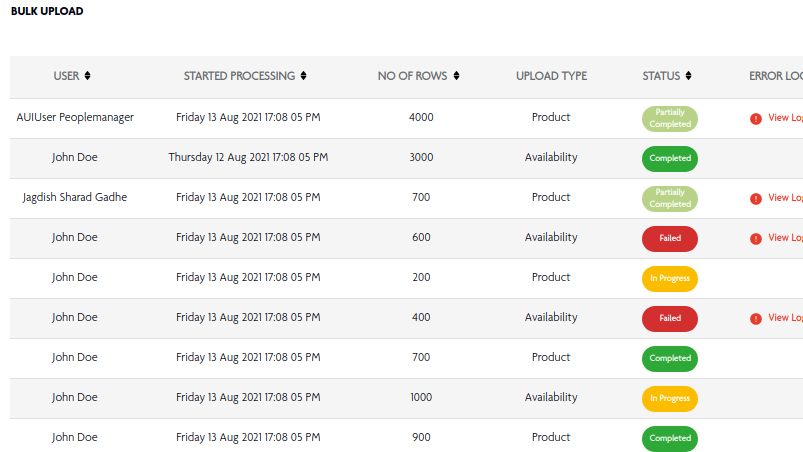
USER |
It display user name here. |
|
Get:- https://api.morrisons.com/ospeventhandler/v1/productavailability/bulkupload?apikey={providedapikey} |
STARTED PROCESSING |
It shows of processing time and date |
||
NO OF ROWS |
It shows how many rows there are. |
|
|
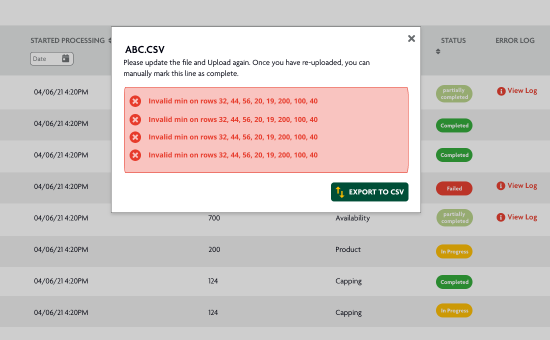
ERROR LOG |
It shows errors in the uploaded file. |
|
|
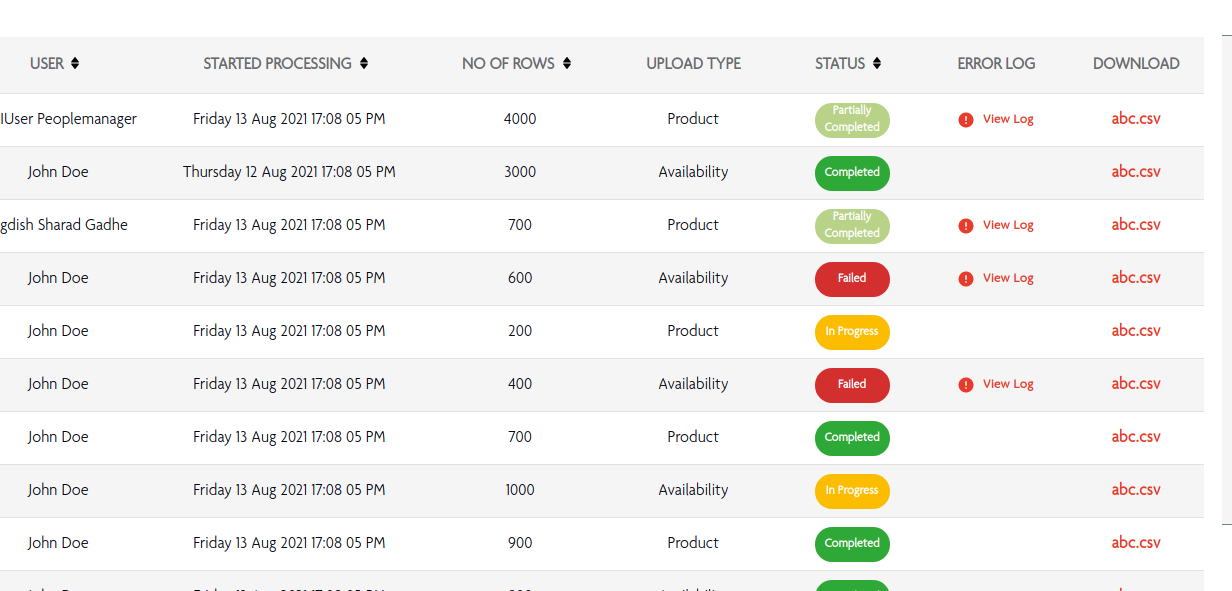
DOWNLOAD |
Uploaded csv files can be downloaded from here |
|
Import Product
Screen Name |
Description |
Screenshot |
Used Endpoint |
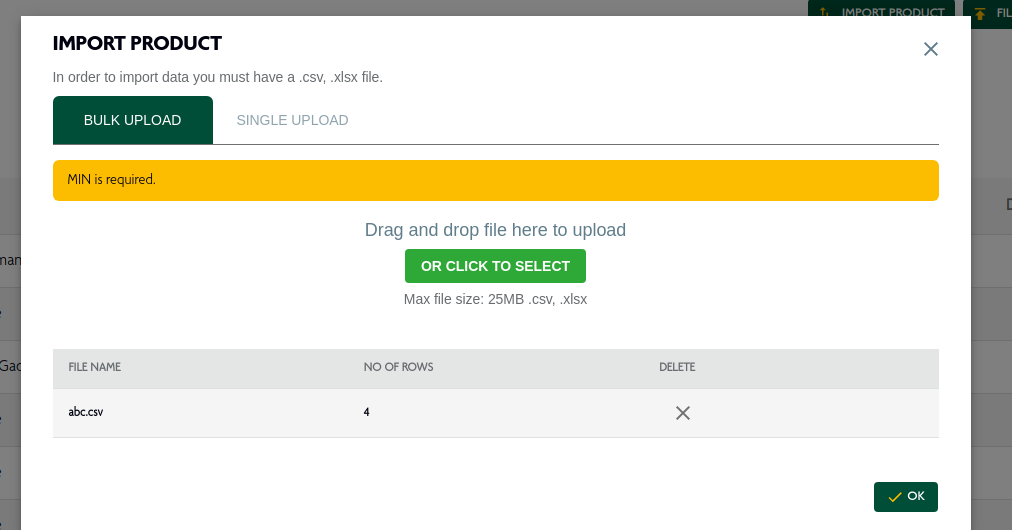
Bulk Upload |
User can upload product details in .csv or .xlsx file format by selecting or drag and drop option. |
|
Post:- https://api.morrisons.com/ospeventhandler/v1/productavailability/bulkupload&apikey={providedapikey}&uploadtype=products |
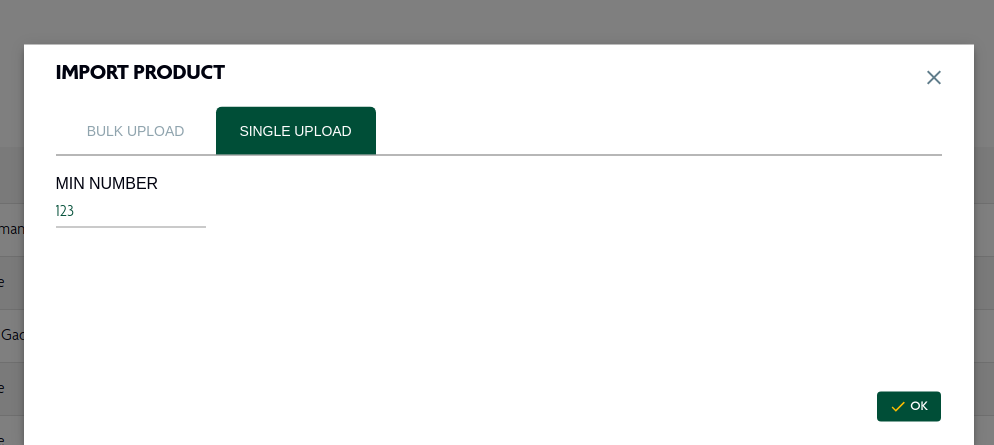
Single Upload |
user can upload single product by using product min number. |
|
Post:- https://storepick-aui-services.dev.spt.digital.morconnect.com/ospeventhandler/v1/productavailability/products/@import?apikey={providedapikey} |
File Upload
Screen Name |
Description |
Screenshot |
Used Endpoint |
Availability |
User can upload masking details in .csv or .xlsx file format by selecting or drag and drop option. |
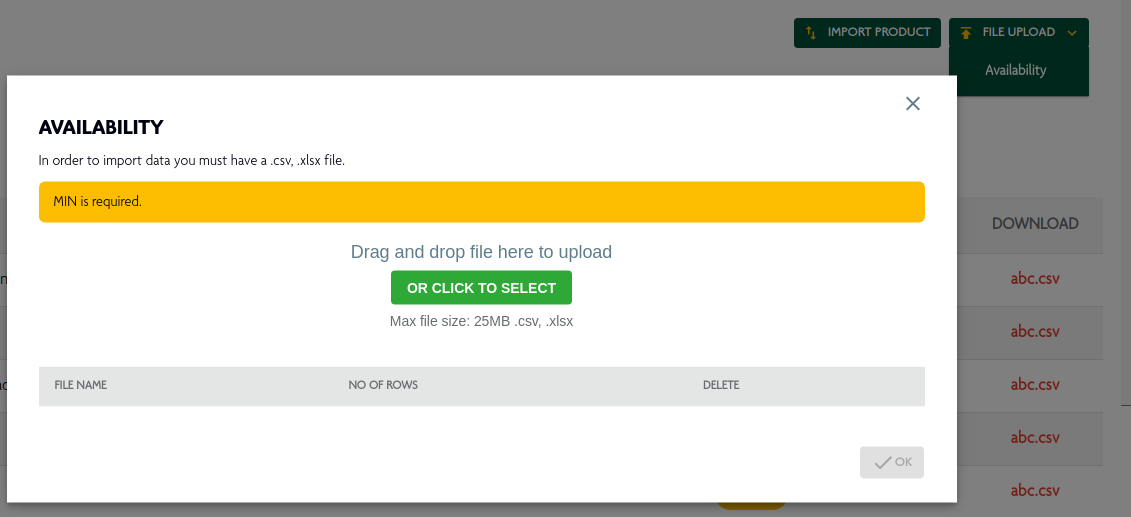
|
Post:- https://api.morrisons.com/ospeventhandler/v1/productavailability/bulkupload&apikey={providedapikey}&uploadtype=availability |
Status
Type |
Description |
Partially Completed |
Partially completed records appear here |
Completed |
Completed records appear here |
Failed |
Failed records appear here |
In Progress |
In progress records appear here |
Types Of Error
Screen Name |
Description |
Screenshot |
View Log |
It display multiple error in the uploaded file. |
|
Upload is failed |
it shows upload is failed due to connection and technical error. |
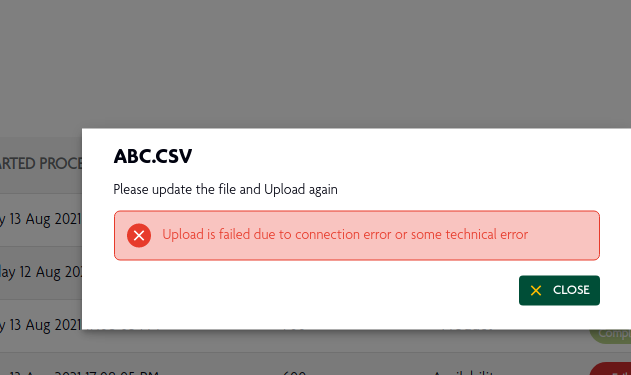
|
Validation Error |
This error occur when file has invalid extension. |
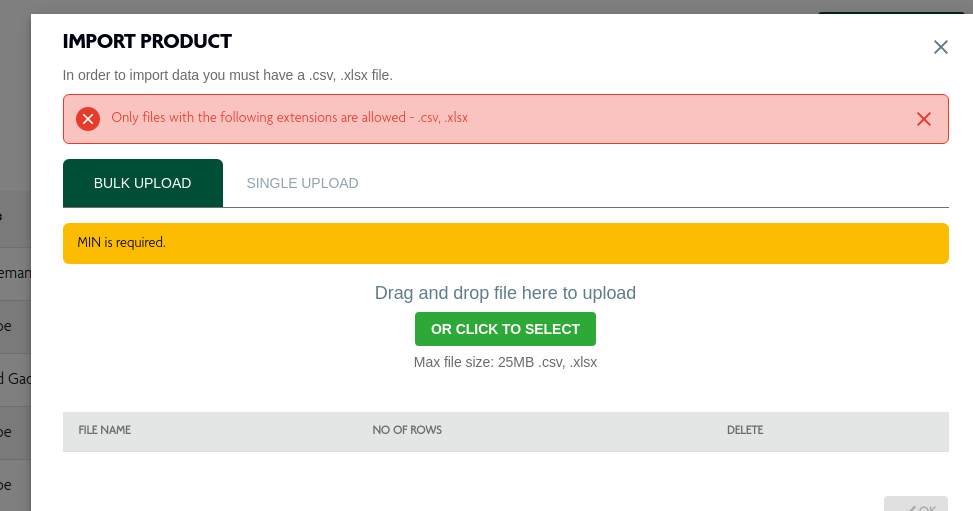
|
Multiple files at a time error |
This error appears when multiple filems are uploaded at the same time. |
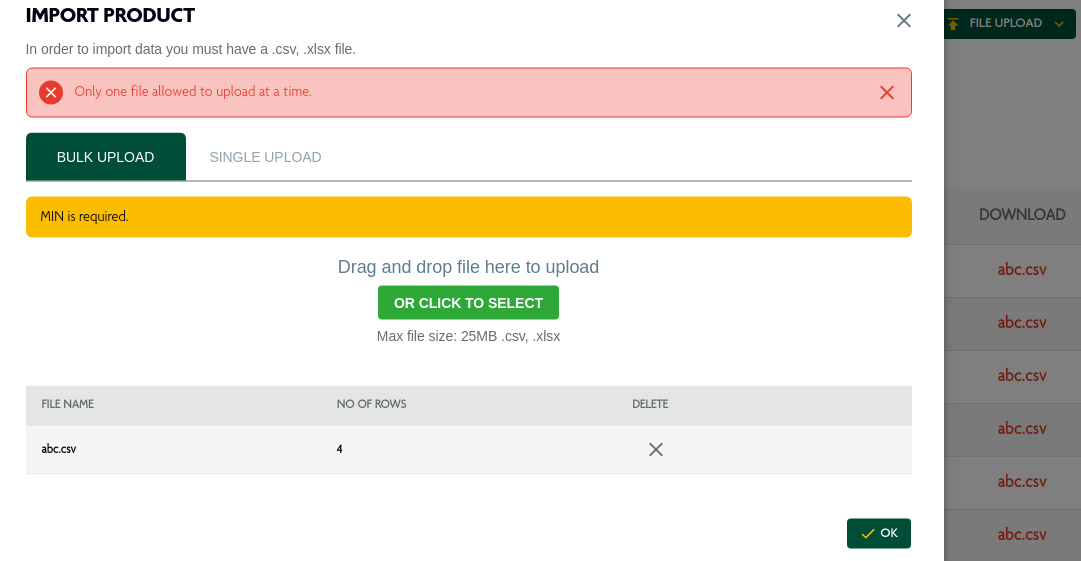
|
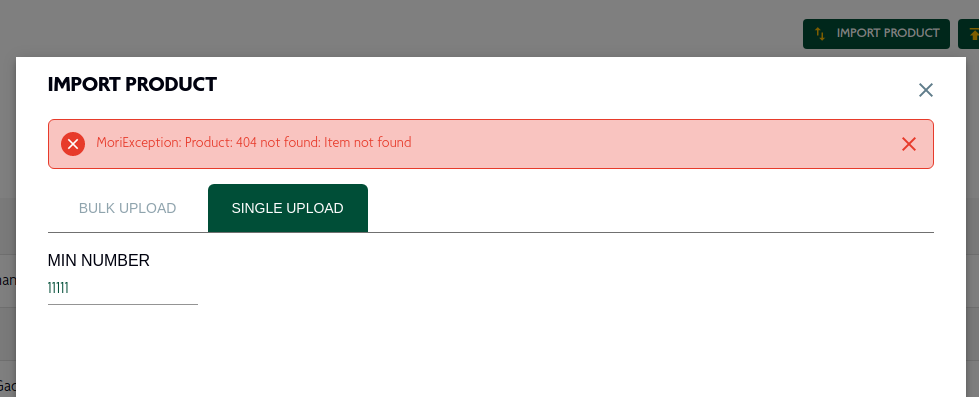
Not Found |
This error occurs when requested items not found. |
|
Product Availability View list of Products
Column Name |
Description |
Screenshot |
Used Endpoint |
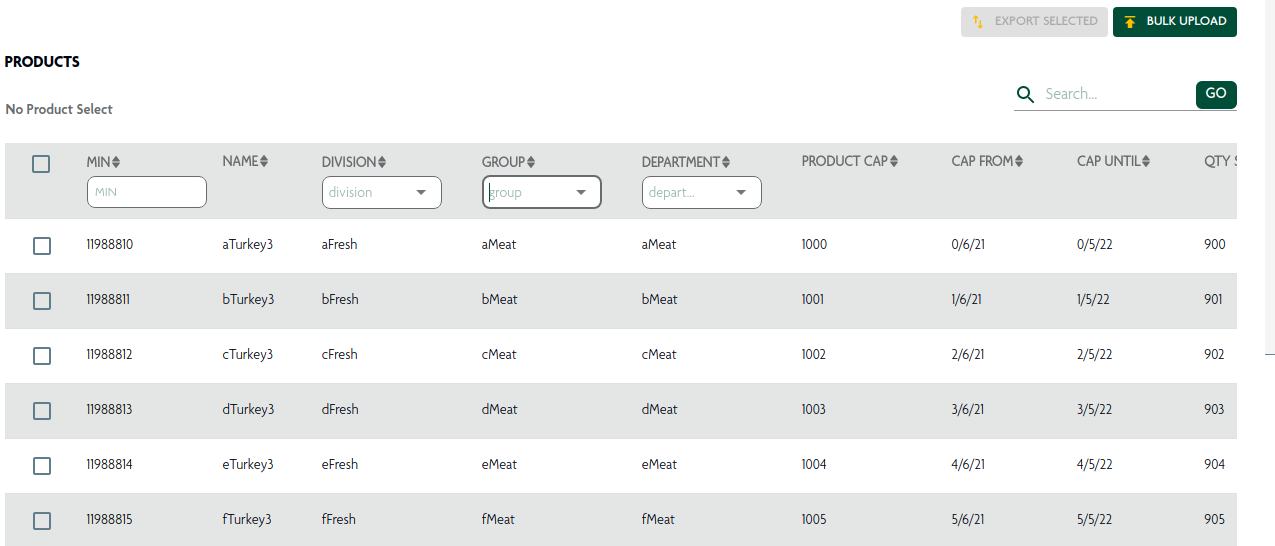
Min |
it shows min number of the particular product. |
|
Get:- https://api.morrisons.com/ospeventhandler/v1/productavailability//products?apikey={providedapikey} |
Name |
It display product name here. |
|
|
Division |
it show division of the particular product. |
|
|
Group |
it display group of the product. |
|
|
Department |
it display department of the product. |
|
|
Product Cap |
it display product cap of the product |
|
|
Cap From |
Here is the date when the product has been cap. |
|
|
Cap Until |
it display the cap date shows how long it is available. |
|
|
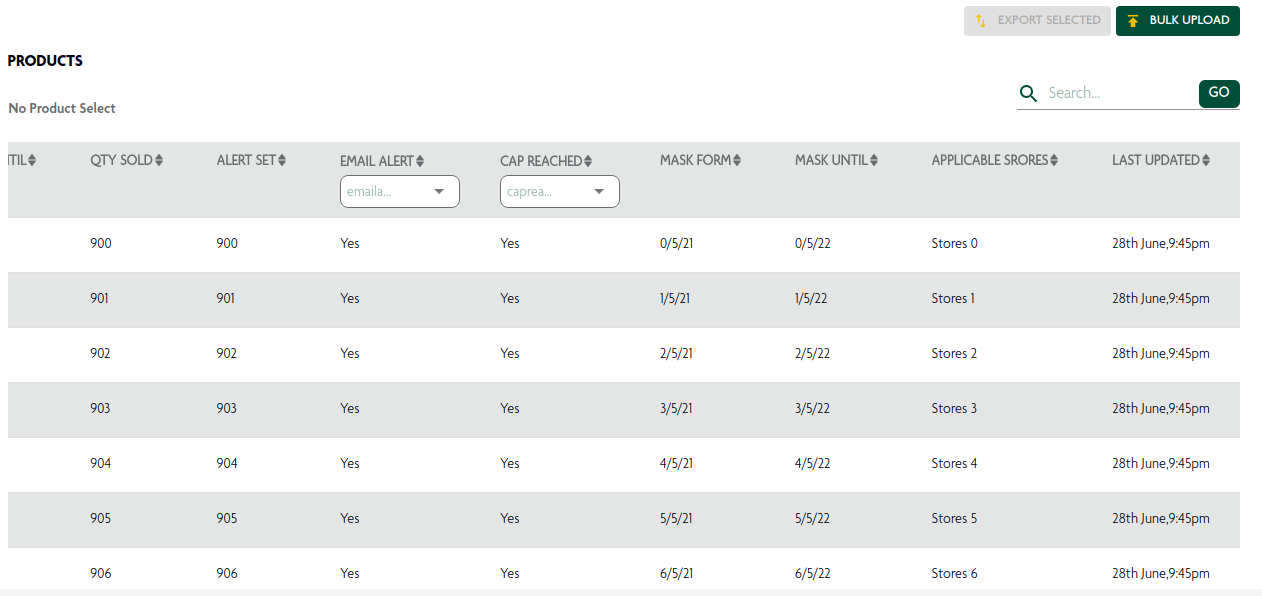
QTY Sold |
it display sold quantity here. |
|
|
Alert Set |
Here you can see how many alerts are active. |
|
|
Email Alert |
it display email alert option here. |
|
|
Cap Reached |
it display cap reached selected option here. |
|
|
Mask From |
Here is the date when the product has been mask. |
|
|
Mask Until |
The mask date shows how long it is available |
|
|
Applicable Stores |
it display how much stores applicable here. |
|
|
Last Updated |
it display last updated time and date here. |
|
|
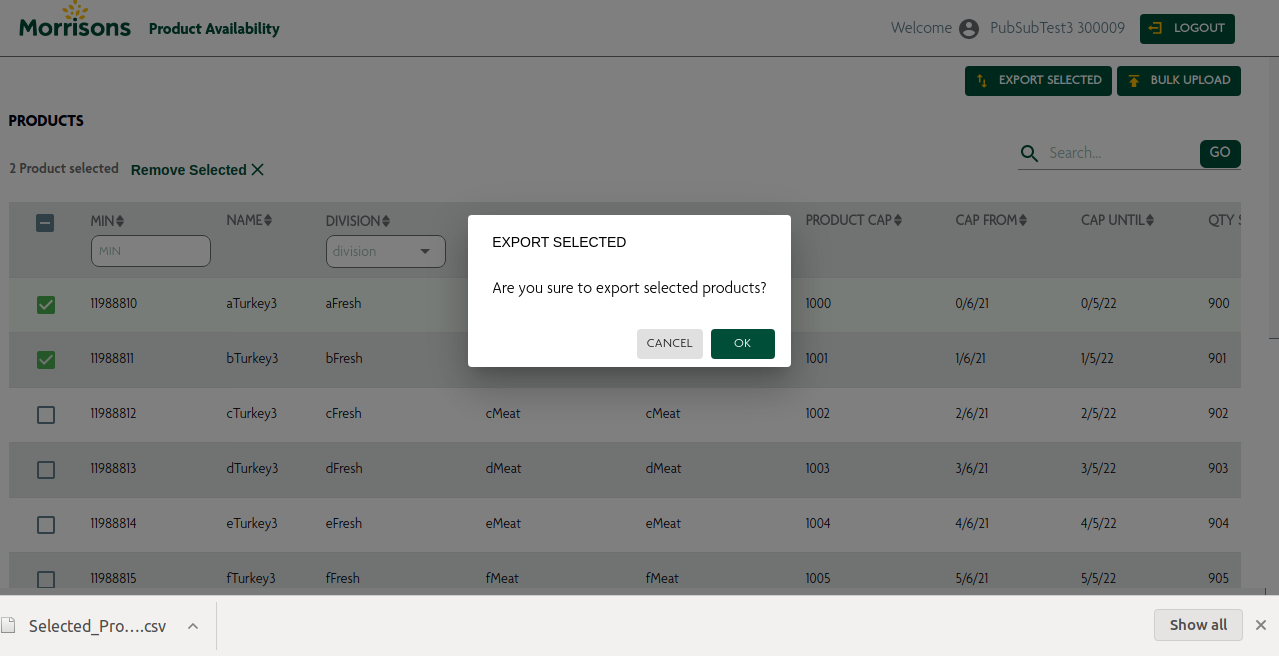
Export Selected |
it display export csv file by pop up modal. |
|
Post:- https://api.morrisons.com/ospeventhandler/v1/productavailability//products?apikey={providedapikey} |
Product Availability
Clicking on the specific MIN number on the product listing page redirects to the product details page
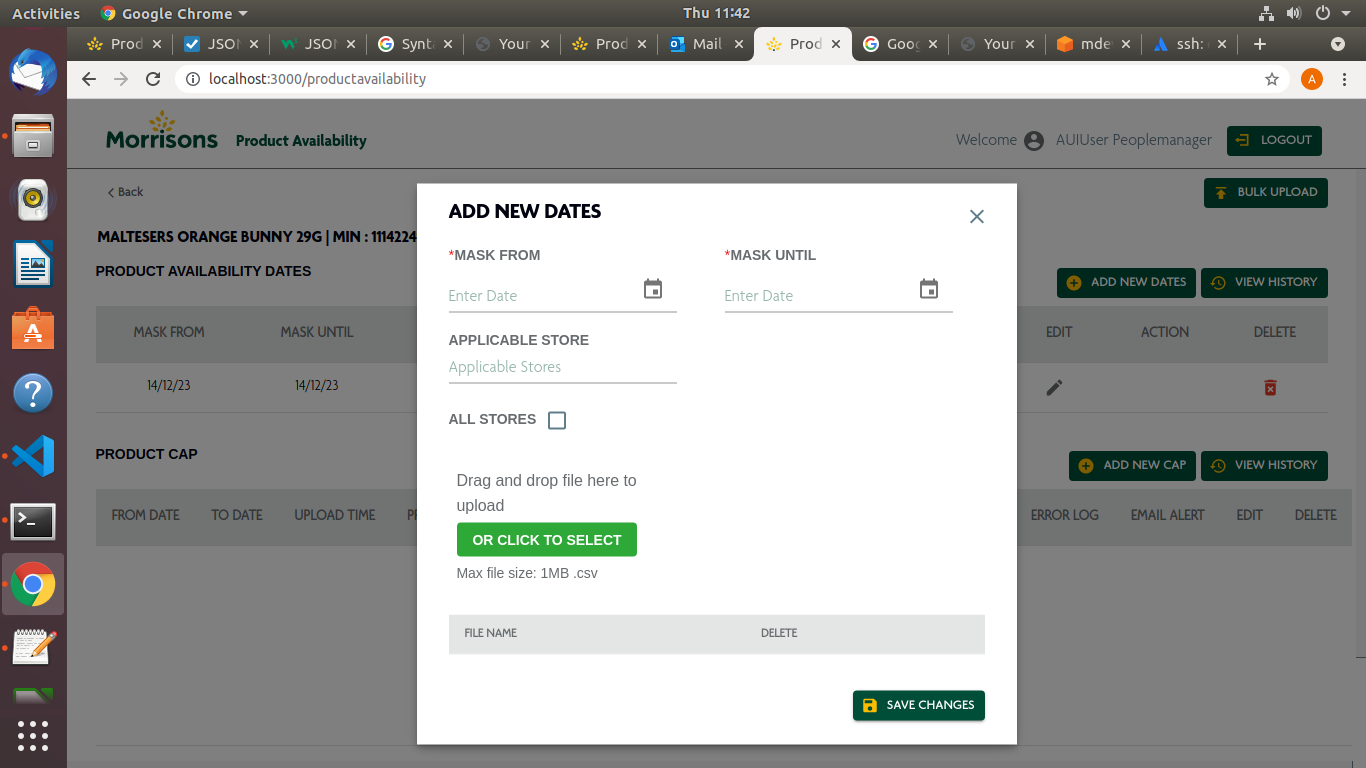
PRODUCT AVAILABILITY ADD NEW DATES
this functionality is use to add new dates for the particular product in a product list all the details are editable and and as follow
Component |
Description |
Screenshot |
MASK FROM |
this is use to add new masking date |
|
MASK UNTIL |
this is use to add new mask until date |
|
APPLICABLE STORE |
individual store can be added from this field |
|
FILE UPLOAD |
you can upload file with store id in csv format with this button |
PRODUCT HISTORY AVAILABILITY DATES
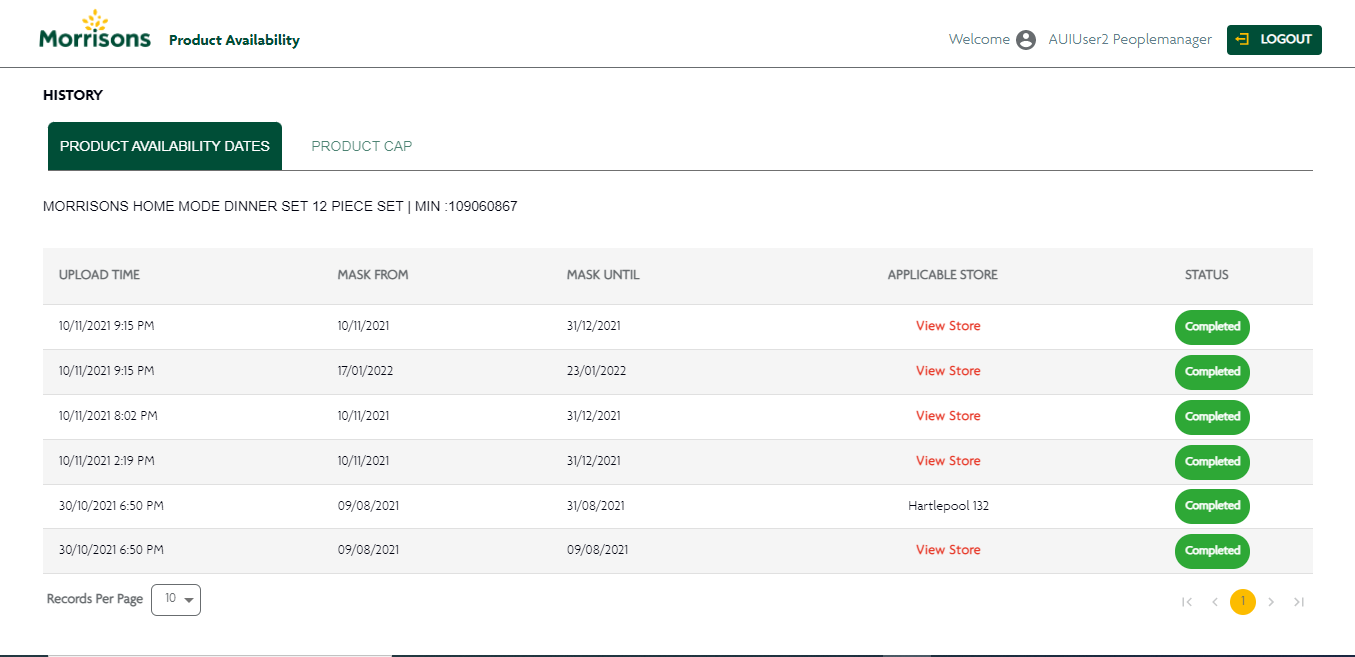
Product Availability page stores the data of the activities performed on availability dates given is the Screenshot of Portal which contain following components
Component |
Description |
Screenshot |
MASK FROM |
It content show of mask from time and date |
|
MASK UNTIL |
It content show of Mask Until date |
|
UPLOAD TIME |
It content show of mask from time and date |
|
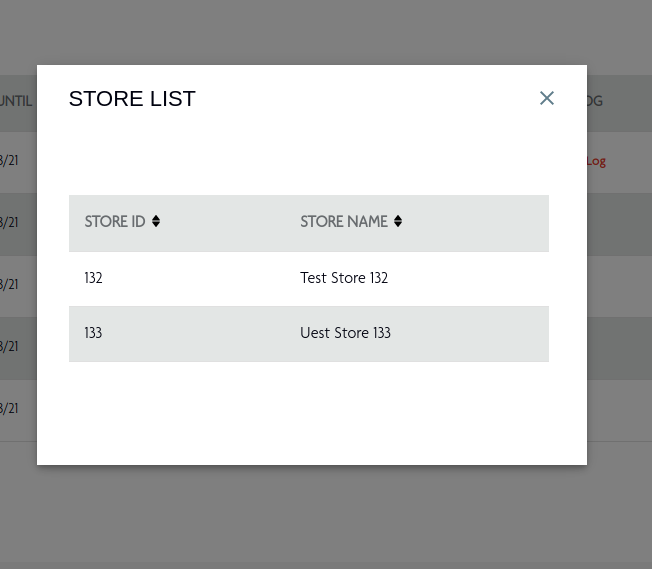
APPLICABLE STORE |
It content show store Applicable eg. View Store, All Store. In View Store after click On open pop up modal and that modal show about store list details, like store ID and Store Name. |
|
STATUS |
It content show about status details, completed, in Progress,Failed. |
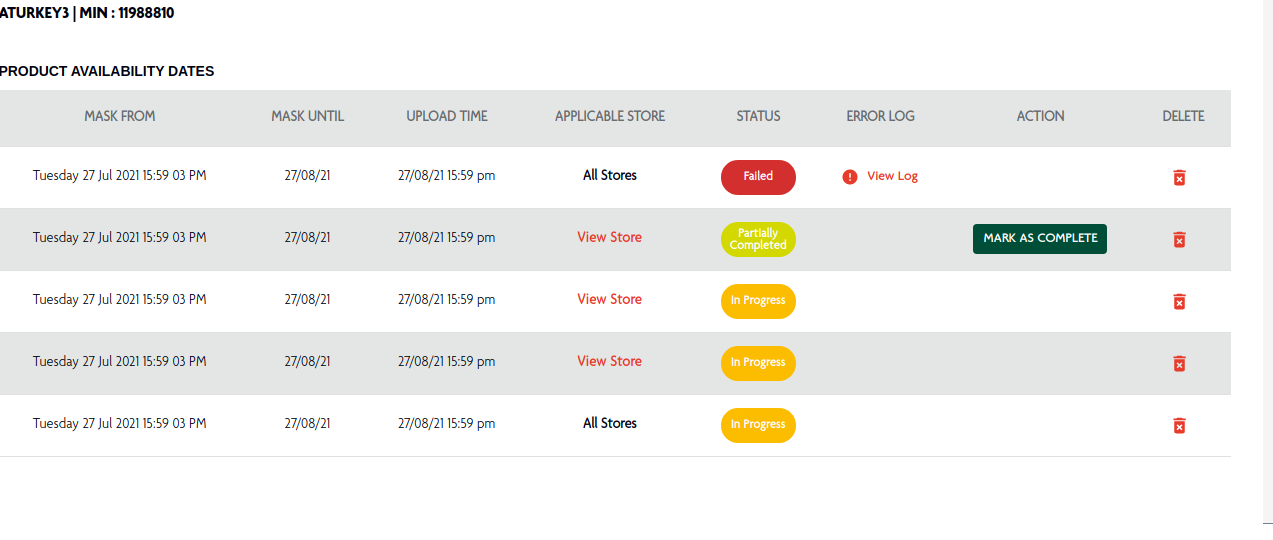
Product Availability DETAILS
MASK FROM |
Here is the date when the product has been mask. |
|
Get:- https://api.morrisons.com/ospeventhandler/v1/productavailability/masking/11988810?apikey={providedapikey} |
MASK UNTIL |
The mask date shows how long it is available |
|
|
UPLOAD TIME |
Shows the date and time when it was uploaded |
|
|
APPLICABLE STORE |
It display applicable stores list . |
|
|
STATUS |
Show the status of store. |
|
|
EDIT |
it allows you edit your record |
|
|
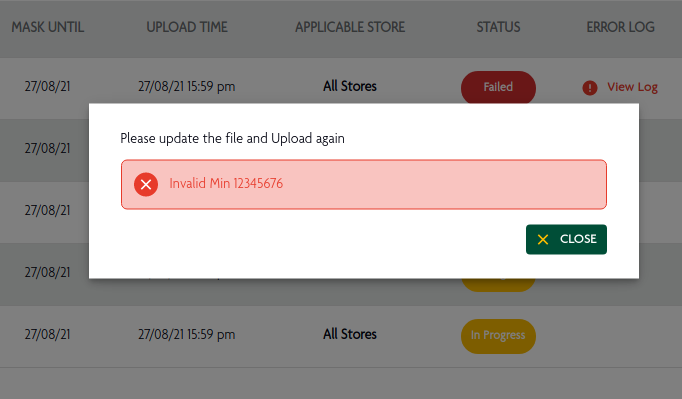
ERROR LOG |
It display the particular error of file. |
|
|
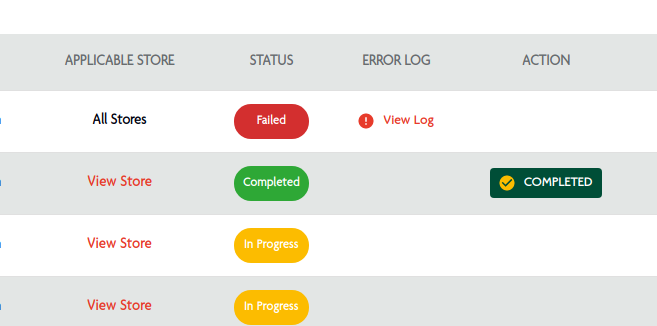
ACTION |
The completed record can be mark as completed. |
|
Post:- https://api.morrisons.com/ospeventhandler/v1/productavailability/masking/11988810?apikey={providedapikey} |
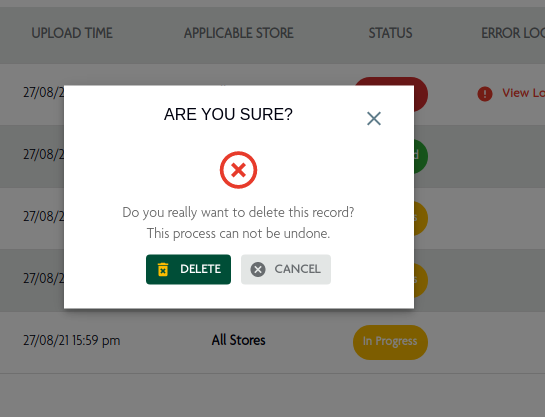
DELETE |
User can delete the records from here. |
|
Put:- https://api.morrisons.com/ospeventhandler/v1/productavailability/masking/11988810?apikey={providedapikey} |
PRODUCT CAP
Clicking on the specific MIN number on the product listing page redirects to the product details page
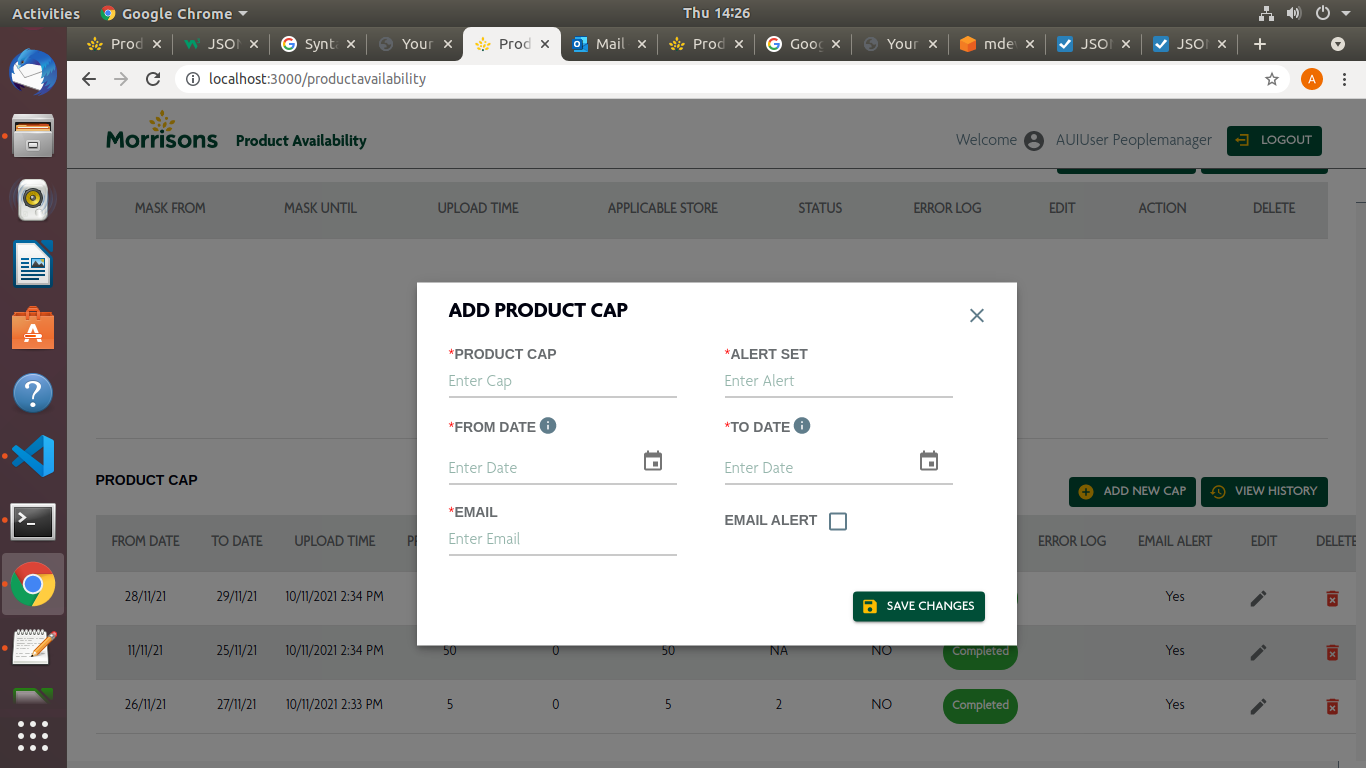
PRODUCT CAPPING ADD NEW CAPPING
this functionality is use to add new capping details for the particular product in a product list all the details are editable and and as follow
Component |
Description |
Screenshot |
PRODUCT CAP |
it is threshold value of product quantity |
|
ALERT SET |
this is the range of the product at which user get alert from the system |
|
FROM DATE |
this is use to add new capping date |
|
TO DATE |
this is use to add new capping until date |
|
SELECT EMAIL |
individual EMAIL can be selected from this field |
|
EMAIL ALERT |
you can set email alert as on or off |
|
you can manually add email from this field |
PRODUCT HISTORY CAPPING DETAILS
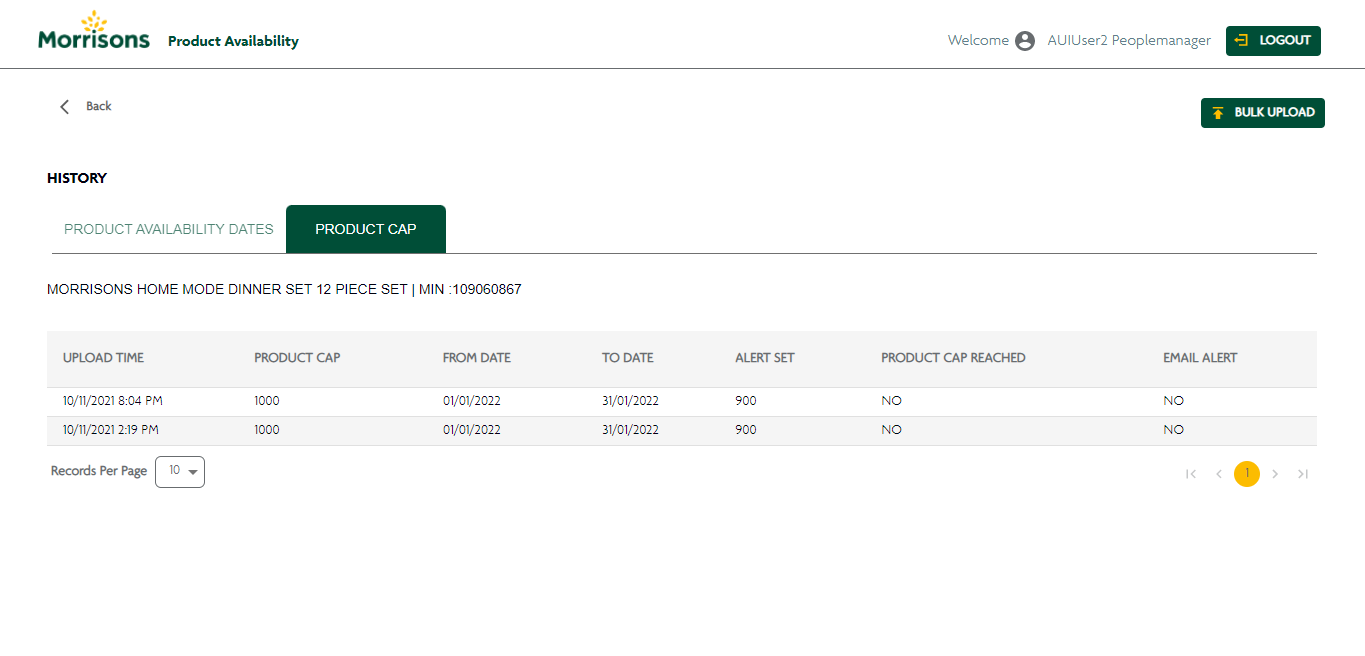
Product Capping page stores the data of the activities performed on Product capping details. given is the Screenshot of Portal which contain following components
Component |
Description |
Screenshot |
UPLOAD TIME |
This column shows the exact time of capping upload |
|
PRODUCT CAP |
This is a threshold of the product |
|
FROM DATE |
It shows the date when capping is allowed |
|
TO DATE |
it shows the date when capping is ended |
|
ALERT SET |
it is the number when the system will alert the user at which the product is at reached |
|
PRODUCT CAP REACHED |
it shows boolean response whether the product cap is reached or not |
|
EMAIL ALERT |
It will show the capping Email alert of Particular product is set or not |
PRODUCT CAP DETAILS
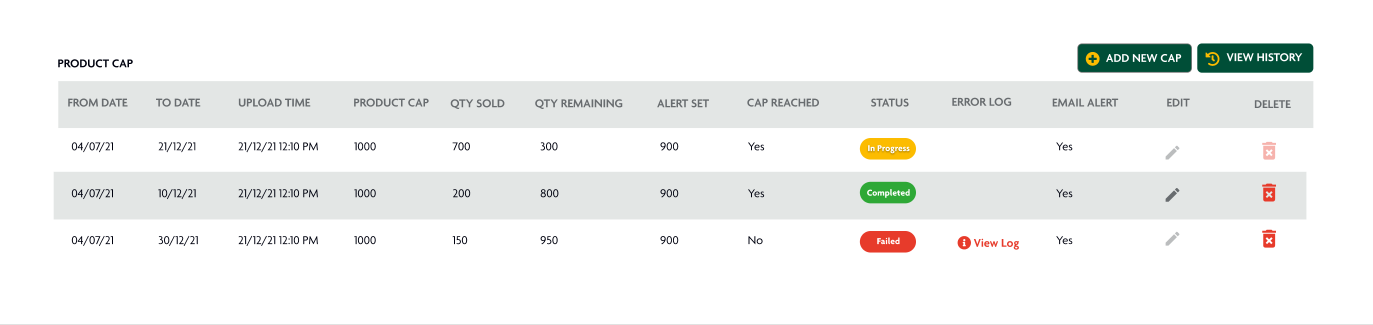
FROM DATE |
it display capping starting date |
|
Get:- https://api.morrisons.com/ospeventhandler/v1/productavailability/capping/11988810?apikey={providedapikey} |
TO DATE |
it display last date of capping for the product |
|
|
UPLOAD TIME |
it display the upload time of the record |
|
|
PRODUCT CAP |
it shows the product cap value |
|
|
QUANTITY SOLD |
it display the amount of product quantity which is sold |
|
|
QUANTITY REMAINING |
it show the remaining stock of perticular product |
|
|
ALERT SET |
it shows the reached alert is set or not |
|
|
CAP REACHED |
it shows the product cap value is reached or not |
|
|
STATUS |
it shows the status of the product |
|
|
ERROR LOG |
it show the respective error |
|
|
EMAIL ALERT |
it show that email is sent or not |
|
|
EDIT |
it allow you to edit the given record |
|
|
DELETE |
it allow you to soft delete the record |
|
Put:- https://api.morrisons.com/ospeventhandler/v1/productavailability/capping/11988810?apikey={providedapikey} |
PRODUCT AVAILABILITY EDIT CAPPING
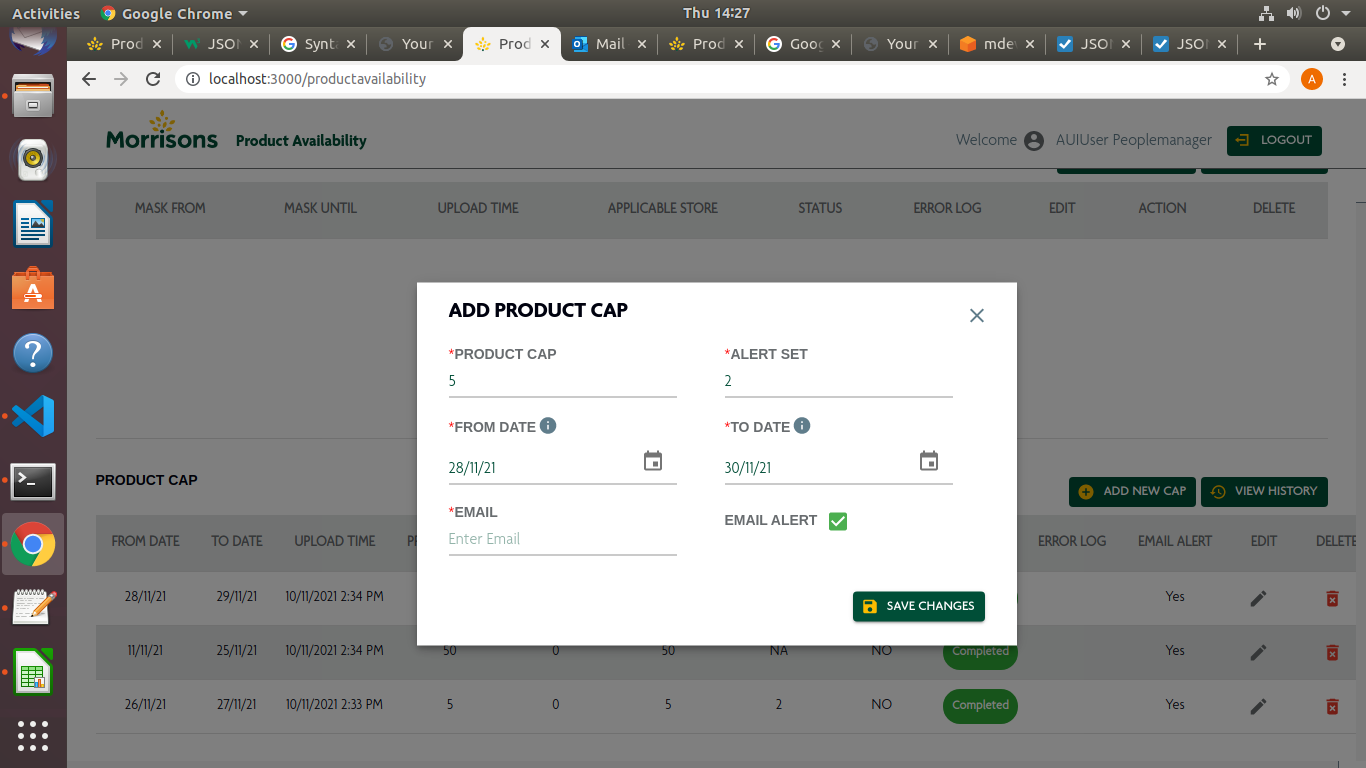
this functionality is use to edit capping details for the particular product in a product list all the details are editable and and as follow
Component |
Description |
Screenshot |
PRODUCT CAP |
it is threshold value of product quantity |
|
ALERT SET |
this is the range of the product at which user get alert from the system |
|
FROM DATE |
this is use to add new capping date |
|
TO DATE |
this is use to add new capping until date |
|
SELECT EMAIL |
individual EMAIL can be selected from this field |
|
EMAIL ALERT |
you can set email alert as on or off |
|
you can manually add email from this field |
PRODUCT AVAILABILITY EDIT MASKING
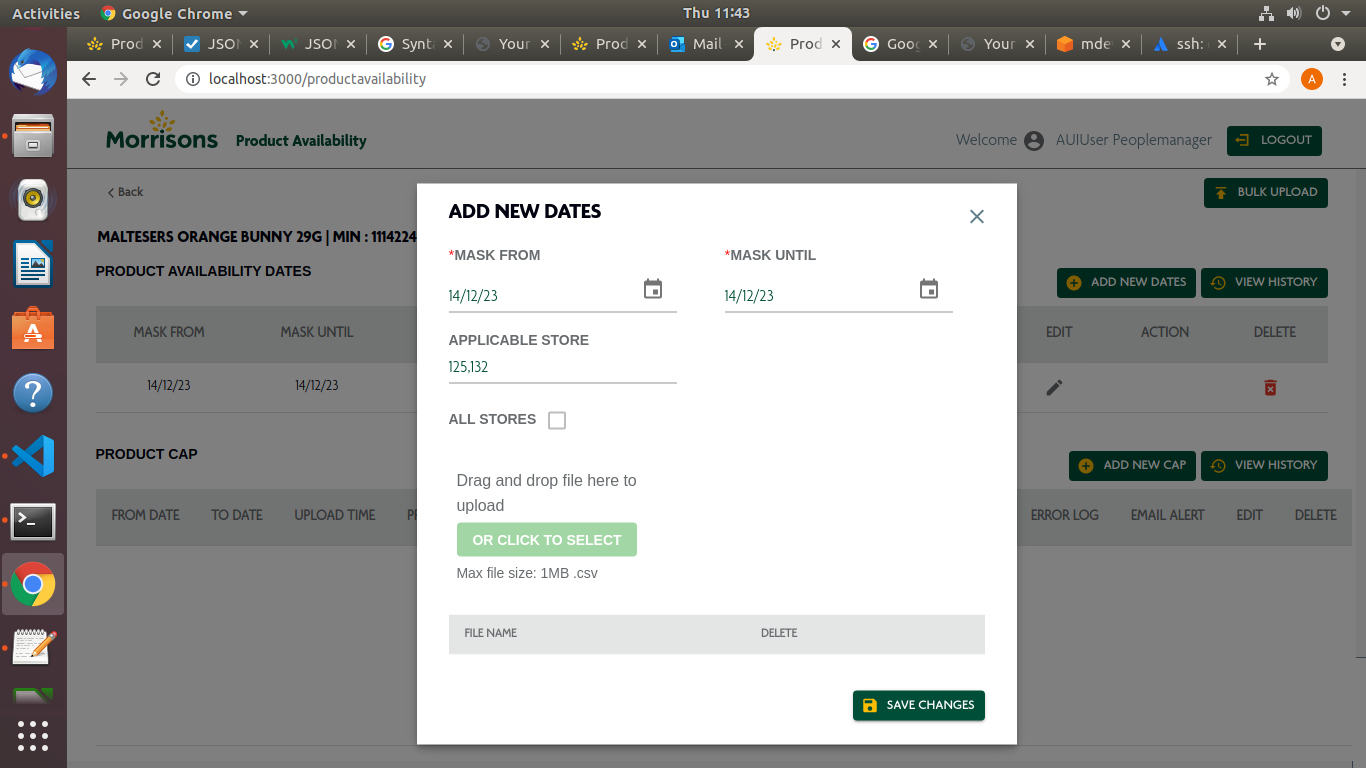
this functionality is use to edit masking details for the particular product in a product list all the details are editable and and as follow
Component |
Description |
Screenshot |
MASK FROM |
this is use to add new masking date |
|
MASK UNTIL |
this is use to add new mask until date |
|
APPLICABLE STORE |
individual store can be added from this field |
|
FILE UPLOAD |
you can upload file with store id in csv format with this button |