StorePick Webshop S3 Cross Account Trigger
Overview
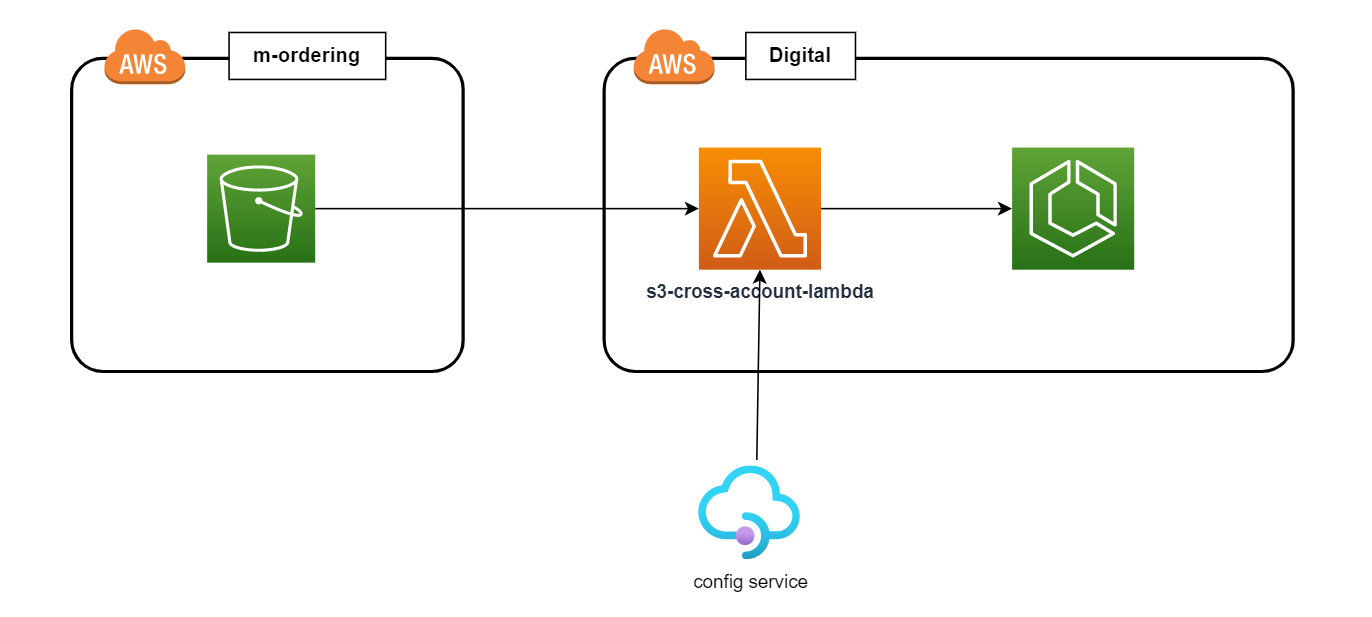
This lambda is used to trigger ECS task from S3 event, this is configurable lambda which will use to trigger ECS task based on provided configuration. This lambda is specifically created for m-ordering S3 event trigger and have access for cross account.
Trigger Ecs Task
Overview
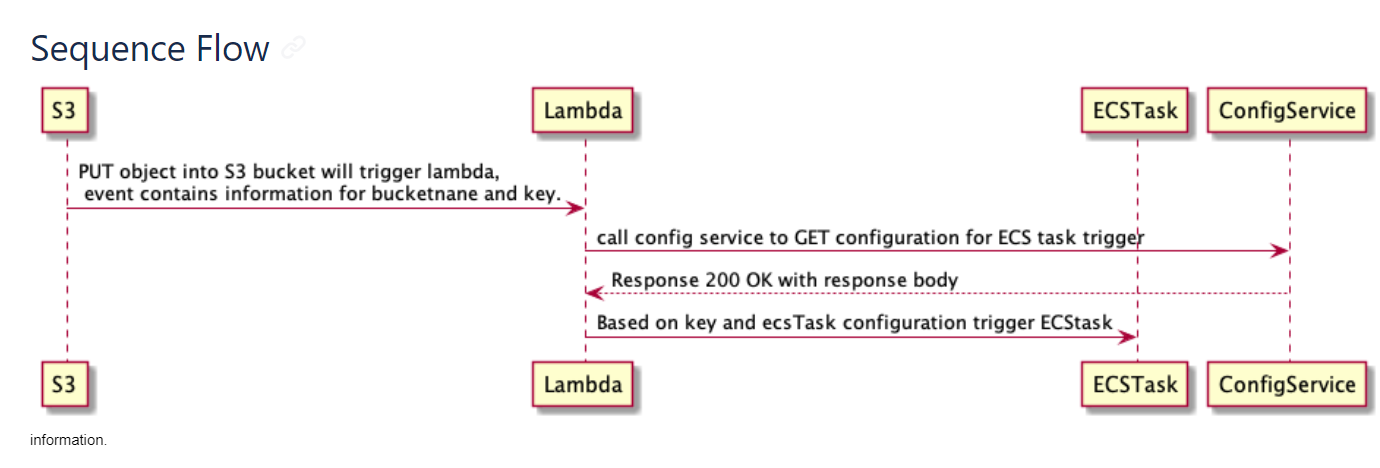
This lambda function will trigger when the file is put in S3 bucket.The functionality of the lambda function is to read the configuration and load it in to the lambda function as per the configuration is provided this lambda function will trigger the ecs task as per the requirement there are three component of this functionality 1. S3 bucket 2. Trigger Ecs Task (Lambda Function) 3. Ecs Task
Account Needed
AWS accounts will be required for DEV/SIT/PROD.
References
Python Service with infrastructure as code.
Unit tests & code coverage at about 90%+
Configuration for multiple environments, DEV/SIT/PRD
Document |
Ref |
|---|---|
Architecture Document |
|
Jira Story |
|
Bitbucket repository |
Testing Approach
We will be using a BDD approach where the behaviour will be tested first the code will be developed to match the tested behaviour.
Deployment strategy
The deployment is handled by a jenkins multibranch pipeline,sk-feature. The commit in the develop branch will automatically deploy the application to the aws environments. The release is done by standard process of tagging the release branch, and by building and deploying from the tags. The tag format is sit-v*-<commit> for nonprod and prd-v*-<commit> for the production release. These tags are manually built on jenkins after the change request has been approved. The release branch is merged to the stable master branch after the successful production deployment.
Components
Components
Diagrams
Ecs trigger diagram
Ecs trigger lambda sequence flow diagram